

Agenew MDT Tool v1748 lets you mass-flash firmware on multiple MediaTek devices from a Windows PC.
It's a handy multiport download utility for repair shops that need to flash several MediaTek devices in parallel.
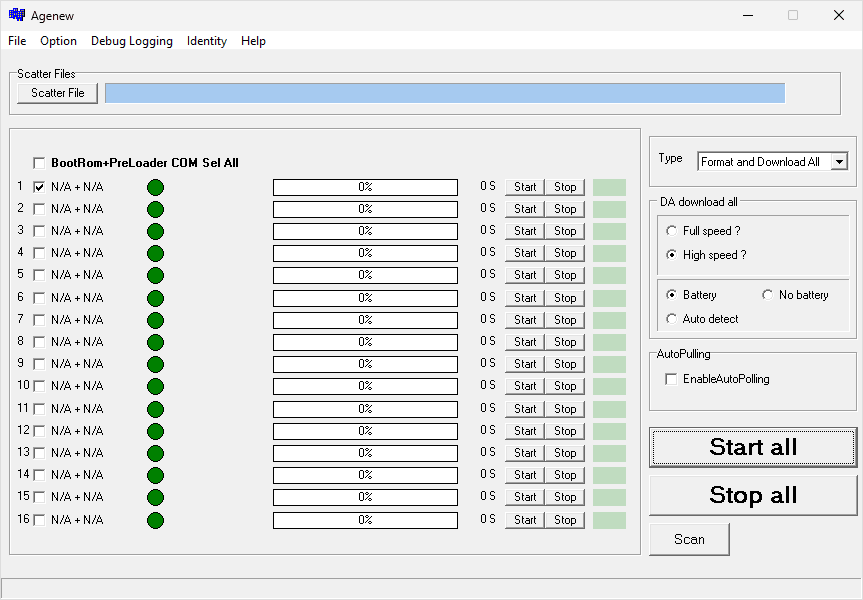
Agenew MDT Tool v1748
Agenew MDT Tool is a Windows multiport download utility for MediaTek devices. Version v1748 is a tested release for mass-flashing workflows.
Agenew MDT Tool is portable, so there's nothing to install. Just download the ZIP, extract it, and run the executable.
When Do You Need Agenew MDT Tool v1748?
You'll typically reach for this tool when you need to:
- Flash firmware on multiple MediaTek devices at once.
- Speed up repair-shop flashing with a multiport setup.
- Upgrade or restore supported MediaTek smartphones or tablets.
- Use Agenew's multiport workflow instead of SP MDT Tool.
Download Agenew MDT Tool v1748
| Name | Agenew MDT Tool v1748 |
| Type | Multi-port Flash Tool for Mediatek Devices |
| Developer | Mediatek Inc. |
| File Name | Agenew_MDT_v1748.zip |
| File Size | 13.57 MB |
| Version | v1748 |
| Supports | Windows 11, 10, 8.1, 8, 7, Vista, XP (32-bit & 64-bit) |
| Password | MTKTOOL |
FAQs
What is Agenew MDT Tool v1748?
It's a Windows multiport flashing utility for MediaTek devices that lets you flash several phones or tablets from one PC. Version v1748 is a stable release commonly used for mass download and firmware restore jobs.
How do I use Agenew MDT Tool v1748?
Download the ZIP, extract it on your PC, load your firmware package, and connect your devices to each USB port. Follow the full usage guide for step-by-step multiport setup and flashing.
Is Agenew MDT Tool v1748 free?
Yes, it's completely free to download and use. No license or account is required.
Is Agenew MDT Tool v1748 safe?
It's safe when you use a trusted download source and the correct firmware for each device. Install USB drivers first, keep cables connected, and never interrupt a flash in progress.
Do I need drivers for Agenew MDT Tool v1748?
Yes. Install the VCOM Driver, CDC Driver, or MTK Driver Autoinstaller so Windows can detect each device in download mode.
How is this different from SP MDT Tool?
Both support multiport flashing on MediaTek devices. Agenew MDT follows the Agenew workflow; for MediaTek's official mass-download tool, see SP MDT Tool.
